 Image to PDF
Convenient by design
Drag in your images or use Choose Images. Keep the workflow simple, from selection to PDF.
Bring photos, screenshots and scans together in one compact PDF. Arrange your pages, choose your compression and save—all on your Mac.
We’ll add the download link here after Apple approves the app.
Explore the app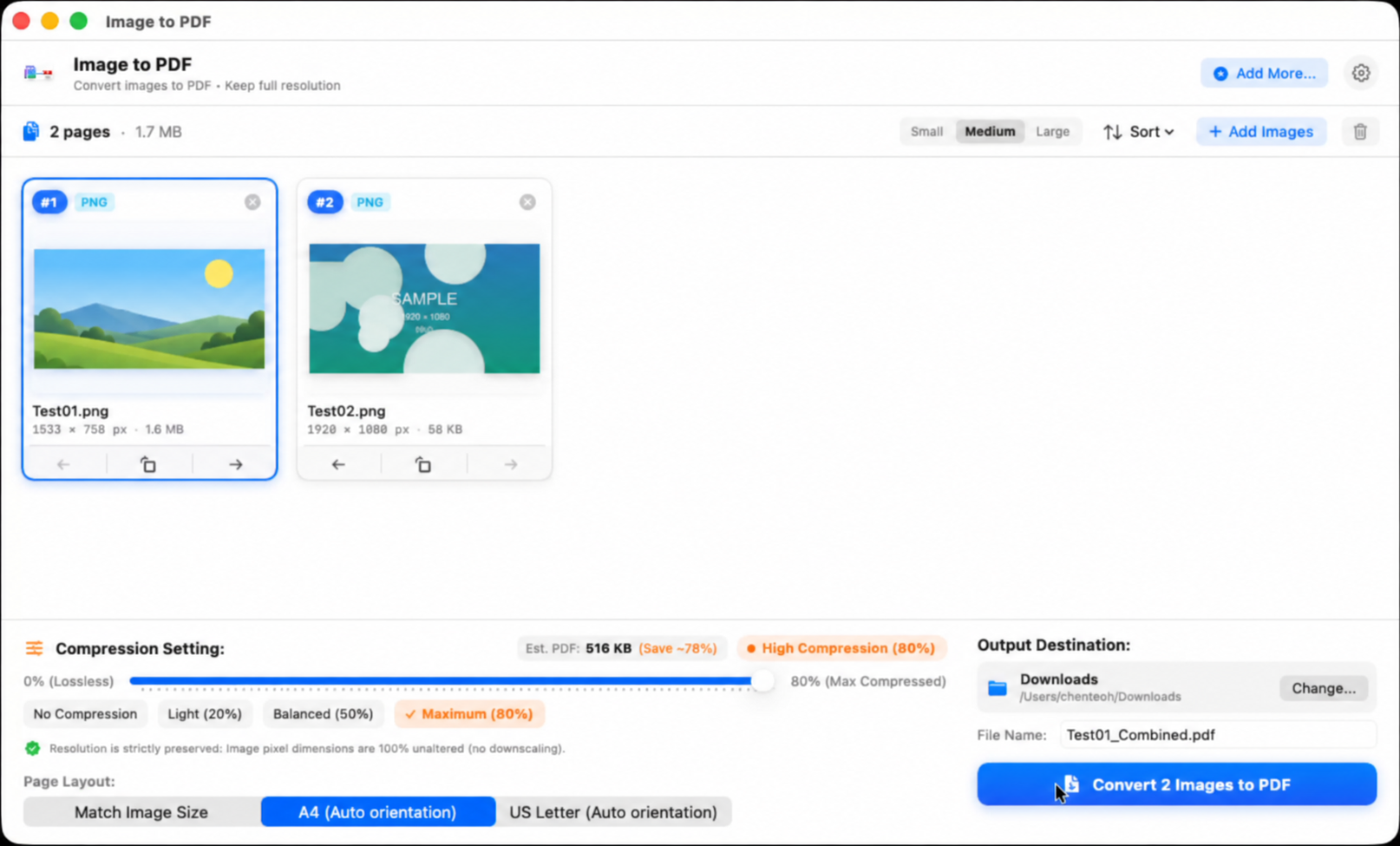
Drag in your images or use Choose Images. Keep the workflow simple, from selection to PDF.
Use compression to create compact PDFs that are easier to email, upload and keep organised.
Your images and PDFs stay local. No file uploads, no server processing, no cloud round trip.
Gather a few photos, screenshots or scans and turn them into a PDF without a complicated export routine.
Your pages, in your order. Choose a layout and compression before you convert.
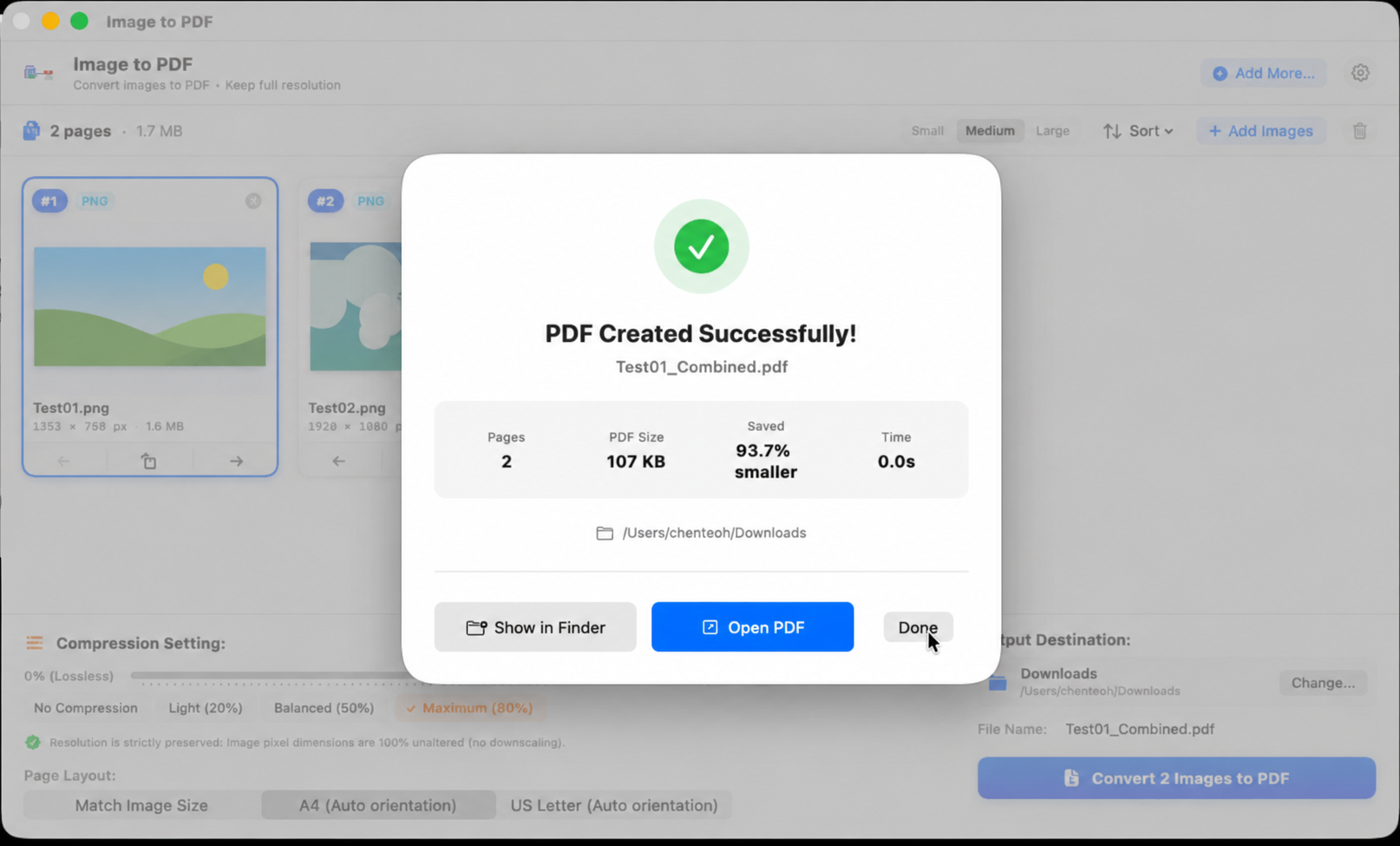
See the actual output size and savings. This is a recorded example; your results will vary.
Built for local processing. Your documents are never uploaded to our servers.
PNG · JPEG · HEIC · SVG · TIFF · GIF · WebP Format support depends on the source file and macOS.
Choose from lossless, light, balanced or maximum compression. Match your images’ page size, or use A4 and US Letter layouts.
Example shown: two images converted to a two-page PDF. Actual size and savings vary by source images and settings. Compression can reduce image detail.
Personal photos. Work documents. Scanned paperwork. Whatever you’re converting, it stays with you.
Your images and resulting PDFs are never sent to our servers for conversion.
Conversion and compression happen locally on your Mac.
Choose your files, create your document and keep the output on your own device.
No. The Mac app converts and compresses your files locally. This website promotes the app and does not accept files for conversion.
Yes. Add multiple images, arrange their order, then create one PDF. Choose Match Image Size, A4 or US Letter to suit your document.
Compression helps keep output compact, but the result depends on the original images and chosen settings. There is no guaranteed file size or reduction percentage. Review the PDF to find the balance of detail and size that works for you.
It’s coming soon to the Mac App Store. We’ll add the official listing link here once Apple approves it.
Use our Contact us page. Please describe the issue without sending private images or documents.
Quick image to PDF conversion, with privacy built into the workflow.
Get in touch →